Anycubic
Showing 1–30 of 64 resultsSorted by latest
Anycubic 3D Printers and Technologies: Models, Features, and Tools
Overview of Anycubic as a 3D Printing Brand
anycubic printers have become one of the most recognizable ecosystems in consumer and prosumer 3D printing. The brand is known for delivering practical hardware at accessible prices while steadily adding smarter automation and higher performance. Today, anycubic printers cover two main families: FDM machines in the Kobra line and LCD/MSLA anycubic resin printers in the Photon line. This dual approach gives users a clear choice depending on material needs, target detail, and expected workflow.
Anycubic’s product philosophy is centered on helping makers succeed quickly: fast setup, automated calibration, well-tuned software profiles, and consistent parts availability. Many users come to anycubic machines because they want reliable printing without a steep learning curve. At the same time, experienced creators value the focus on speed, stability, and expanding compatibility over time.
Company Background and Product Philosophy
Anycubic has built its reputation on iterative improvement guided by user feedback. The company releases firmware updates, refines mechanical systems, and improves usability in consecutive generations. This is visible in the Kobra series, where each new model adds more stable frames, faster motion, and smarter sensors. It is also visible in the Photon line, which emphasizes improved light uniformity and a tighter resin workflow for higher accuracy.
Key Technologies Used in Anycubic Printers
Across both families, Anycubic focuses on automation, speed, and consistent output. In FDM, LeviQ auto calibration reduces first-layer problems without complicated manual leveling. In resin, the Photon series uses uniform light engines and improved release film solutions to lower suction forces and sharpen detail. These choices support two practical goals: stable layers and higher speed without sacrificing surface quality.
Models 3D printer Anycubic
The current catalog includes high-speed Kobra FDM models for filament work and multiple Photon resin models for detail-focused workflows. Key representatives include the Anycubic Kobra 3 Max Combo, Anycubic Kobra S1 Combo, Anycubic Kobra 2 Neo, Anycubic Kobra 2 Plus, and resin devices like the Anycubic Photon Mono 4 and its Ultra variant. The selection is designed so users can pick the right build volume, speed tier, and automation level for their needs.
Anycubic Kobra 3 Max Combo
Anycubic Kobra 3 Max Combo is a flagship large-format multi-color FDM platform. It offers a very large build volume suited for big props, multi-part engineering assemblies, and production runs where size and throughput matter. Paired with the multi-material unit, it enables volume multicolor printing with smoother switching and better spool handling. For advanced users, the system reduces manual filament changes and keeps long projects predictable.
Anycubic Kobra 2 Neo
Anycubic Kobra 2 Neo is a value-oriented high-speed FDM option. It keeps key Kobra traits—automatic leveling, stable extrusion, and a beginner-friendly workflow—while maintaining a simpler hardware footprint. This model is often chosen by users who want a straightforward printer with solid defaults, good daily reliability, and a clear upgrade path.
Anycubic Kobra 2 Plus
Anycubic Kobra 2 Plus steps up in scale and throughput. It is designed for makers who need more build volume than entry-level devices and want faster motion tuning associated with the newer Kobra generation. For users running many mid-size parts, this model balances speed, stability, and cost efficiency.
Anycubic Kobra S1 Combo
Anycubic Kobra S1 Combo is a newer multi-color Kobra platform aimed at making advanced printing more accessible. It integrates with Anycubic’s app environment for remote control and basic monitoring, and it supports multi-color printing through the ACE ecosystem. This model family targets users who want multi-material creativity without moving into the price tier of industrial systems.
Anycubic Photon Mono 4
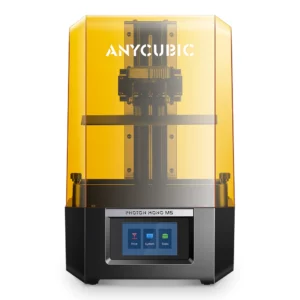
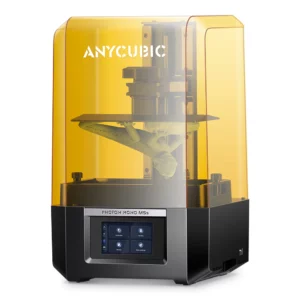
Anycubic Photon Mono 4 is a compact resin printer built around a high-definition LCD designed for accurate resin printing. It is meant for projects where detail is critical: miniatures, jewelry prototypes, dental models, and high-precision components. The Photon Mono 4 line focuses on reliable exposure, clear light transmission, and stable layering for crisp surfaces.
FDM Printing with the Anycubic Kobra Series
The Kobra line is Anycubic’s core family for filament printing. Most Kobra models are tuned for modern acceleration profiles and rely on rigid frames, stable axis geometry, and consistent extrusion to maintain clean layers at higher speeds. This is why anycubic kobra printers are popular for functional parts and everyday production work.
Kobra Series Overview and Model Comparison
Within the Kobra family, the main differences come down to build volume, multi-color support, and automation level. The Anycubic Kobra 3 Max Combo targets large, multi-material output. The Anycubic Kobra S1 Combo brings multi-color printing to a smaller, more flexible form. The Kobra 2 generation, including Anycubic Kobra 2 Neo and Anycubic Kobra 2 Plus, emphasizes high-speed monochrome printing with easy setup. Across the board, anycubic kobra models share a similar interface and ecosystem compatibility, so upgrading between tiers is simple.
Key Features: LeviQ Auto Leveling and Dual Gear Extruder
LeviQ auto calibration is one of Anycubic’s defining advantages. It measures the bed quickly and compensates during the first layers, reducing common adhesion errors. Combined with a dual gear direct extrusion setup, Kobra printers gain steady filament control for PLA, PETG, ABS, and flexible blends. This improves layer adhesion and dimensional stability even when users push print speed.
Intelligent Systems: AI Monitoring, RFID, and Filament Management
Newer Kobra devices add intelligent filament management through the multi-material unit. Automatic spool recognition, smoother switching, and basic AI monitoring help reduce wasted material and print failures. Even users who prefer third-party spools benefit from the system’s controlled feeding and stable changeovers, especially during long, multi-color jobs.
Build Surfaces and Components: PEI Plate, Hotend, and Mainboard
Most Kobra printers use PEI build plates to enable strong adhesion and easy release. An anycubic pei build surface is especially helpful for high-speed PLA jobs and larger ABS prints where warping risk is higher. Hotends are typically designed for a wide temperature range, supporting multiple filament types. The mainboard and stepper control are tuned for smooth motion, which matters when using high acceleration profiles.
Resin Printing with the Anycubic Photon Series
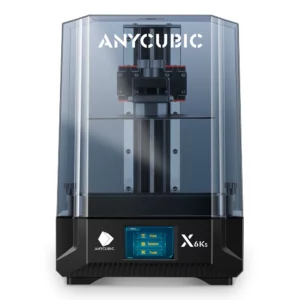
The Photon family is built for high-detail resin printing where surface finish and micro-geometry matter more than raw build size. anycubic photon models are common choices for figurines, dental prototypes, and small mechanical parts that require sharp edges and clean textures.
Photon Series Overview and Model Comparison
The Anycubic Photon Mono 4 brings high resolution to a compact form, while the Photon Mono 4 Ultra line expands precision and speed in a higher tier. Both are designed to keep exposure uniform and reduce the number of failed layers, especially on thin supports or dense model layouts. For many users, moving from older Photon models to Mono 4-class devices results in noticeably improved detail and shorter print times.
COB Light Source and ACF Film Technology
In newer Photon devices, uniform light engines help ensure consistent curing across the entire plate. Stable light distribution is important because it prevents edge under-exposure and reduces visible banding. Improved vat film solutions, including ACF-type films, lower peel forces, which can boost speed and maintain delicate features. This combination contributes to why anycubic resin printers have advanced quickly in recent generations.
Resin Tanks, LCD Screens, and Protective Components
Photon resin vats are designed for quick film replacement and stable long-term use. Replacing the film on schedule prevents suction issues and maintains sharp detail. LCD panels in high-resolution printers are sensitive, so screen protection and careful cleaning are part of best practice. Anycubic’s ecosystem includes spare tanks and LCD options, letting users keep production running without long downtime.
Slicing and Software Tools
Anycubic supports its hardware with dedicated slicing tools meant to reduce the barrier to entry. The newer Anycubic slicer generation is built on a modern interface and supports improved path planning for speed and quality. This keeps anycubic slicer support aligned with current printer capabilities, especially in high-speed Kobra models.
Anycubic Slicer: Features and Compatibility
Anycubic Slicer focuses on preset profiles, direct printer matching, and workflow shortcuts. For many users, official presets are the fastest way to get stable results without extensive manual tuning. As printers evolve, new presets and optimizer tools help keep performance consistent, especially for multi-color and high-speed printing.
Slicer Support for FDM and Resin Printing
Anycubic Slicer supports both filament and resin workflows. For FDM, it includes profiles for PLA families, PETG, ABS, and flexible materials. For resin, it provides baseline exposure and lift settings intended to reduce trial-and-error. This integrated approach makes it easier to maintain repeatability across different Anycubic models.
Comparison with Third-Party Slicers like Chitubox and Lychee
Third-party slicers often provide broader printer coverage and niche tools. Anycubic Slicer’s advantage is tighter hardware alignment: stronger default profiles, direct integration for device settings, and consistent updates for new models. Many experienced users keep both options available—official software for quick reliable jobs, and third-party tools for deep customization.
Materials and Consumables
Materials directly shape performance. Anycubic provides its own filament and resin lines, while also keeping settings open for other brands. The important part is matching profiles to material behavior so prints remain predictable.
Anycubic PLA Special and Filament Options
anycubic pla is the baseline filament family tuned for Kobra printers. Variants like Anycubic PLA Special are designed for smoother flow at speed and good surface consistency. Users who want a safe starting point often begin with Anycubic PLA or Anycubic PLA Special before exploring alternative filaments. The multi-material system improves spool handling and keeps color changes stable.
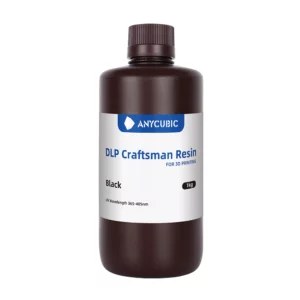
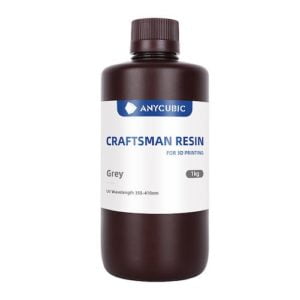
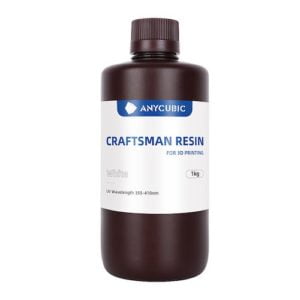
Standard and Specialty Resins: ABS, Eco, and Water-Washable
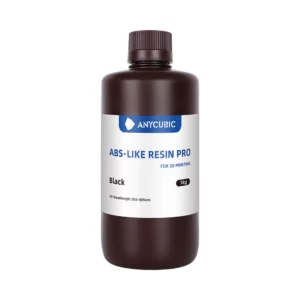
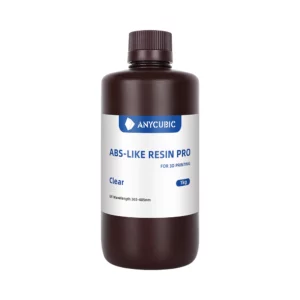
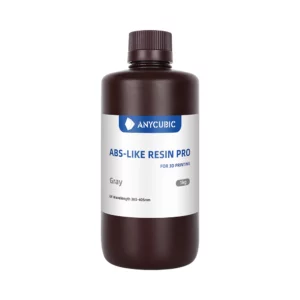
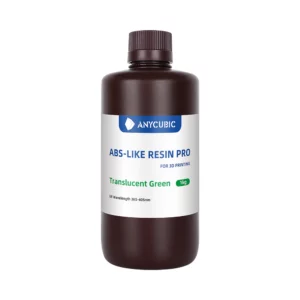
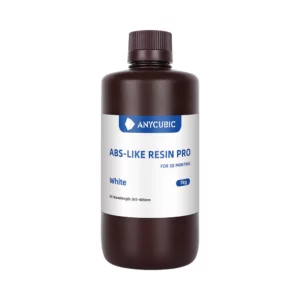
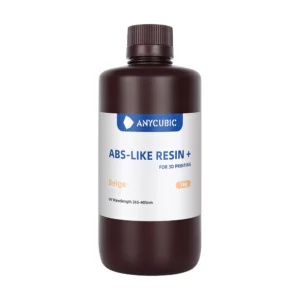
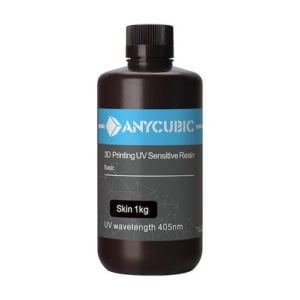
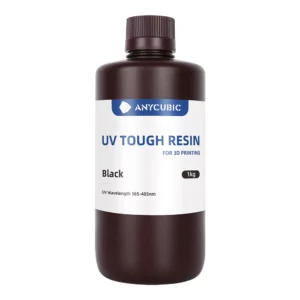
Anycubic also offers standard resins, ABS-like blends, eco-focused options, and water-washable materials for Photon printers. These are intended to deliver stable viscosity and balanced strength for different use cases. Standard resin works for general modeling, ABS-like resin supports stronger functional parts, eco resin reduces odor, and water-washable resin simplifies cleanup.
Resin Settings and Compatibility Guidelines
A reliable resin settings approach is essential in high-resolution printers. Anycubic slicer profiles offer a baseline resin settings guide, after which users should fine-tune exposure in small steps to account for temperature and model density. Keeping resins mixed, filtering them between jobs, and maintaining clean vats will reduce resin print failures and keep details sharp.
Post-Processing and Accessories
Accessories complete the workflow by simplifying wash, cure, and air management, which are vital for consistent results.
Anycubic Wash & Cure Series: Function and Use
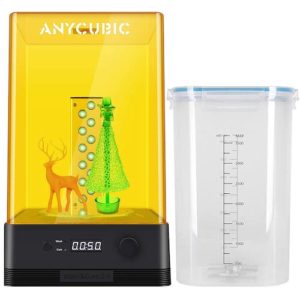
anycubic wash stations combine washing and UV curing for resin prints. A standardized wash-and-cure routine improves surface quality, stabilizes dimensions, and ensures full polymerization. For beginners, these systems reduce sticky residue and the risk of under-cured parts. For pros, they increase repeatability batch to batch.
AirPure for Print Environment Management
For resin users, air filtration accessories such as Anycubic AirPure help lower odor and airborne compounds. While good ventilation is still recommended, compact filtration improves comfort and makes daily printing easier to manage in smaller rooms.
Hardware Components and Replacement Parts
Long-term performance depends on accessible spare parts. Anycubic’s ecosystem includes replacement items for both Kobra and Photon families.
Build Platforms, Hotends, and Extruders
For FDM, common replacements include PEI plates, hotends, and the Anycubic Extruder. Stable extrusion is critical to clean layers at higher print speed. Having an Anycubic Extruder or nozzle set ready minimizes downtime and keeps production consistent.
Cooling Systems and Material Fans
Cooling affects bridging, overhangs, and surface finish. Replacement parts like an Anycubic Material fan allow users to restore factory airflow if performance drops. Stable cooling is essential when printing high-speed PLA as well as flexible or high-temperature filaments.
LCD Screens, Screen Protectors, and Resin Tanks
In Photon systems, the LCD panel is a wear component. Replacement LCDs, screen protectors, and resin tanks help users keep printers running smoothly. Preventive maintenance—regular film replacement and careful vat cleaning—preserves sharp exposure and consistent detail.
Choosing the Right Anycubic Printer
Pick based on build volume and material goals. Large multi-color filament projects point to the Anycubic Kobra 3 Max Combo. Multi-color in a smaller footprint fits the Anycubic Kobra S1 Combo. Fast monochrome filament printing at lower cost works well on the Kobra 2 line. If your priority is micro-detail for models or dental work, a resin choice like the Anycubic Photon Mono 4 is the better match.
Future Developments and Trends in Anycubic Technology
Anycubic is moving steadily toward smarter automation: AI monitoring, intelligent filament handling, and deeper app-based machine integration are becoming standard. Expect continued growth in multi-color FDM systems and higher-resolution resin devices with more stable light engines and improved vat films. Community-driven firmware updates remain a key part of how Anycubic keeps older machines relevant and improves performance over time.
Frequently asked questions (FAQ)
What is Anycubic Slicer, and how does it compare to other slicers?
Anycubic Slicer is the official slicing software for anycubic printers. It focuses on direct printer matching, preset profiles, and a smooth start-to-print workflow. Third-party slicers may add extra niche tools or broader hardware coverage, but Anycubic Slicer is usually the quickest path to stable defaults, especially for newer Kobra and Photon models.